
 Welcome bonusUp to 2 000 AUD + 100 FS
 Welcome bonusUp to 2 000 AUD + 100 FS


Instant
Quick & easy deposits

Up to 60 mins
Avg time for processing withdrawals

24/7
Customer Support

58,687 AUD
Customer Support
Casino






Live Casino


Promotions
Tournament
Golden Entry
Prize Pool
600 AUD real money + 60 FS
Promo
Install the App
What’s offered
20 no-deposit Free Spins


Level system
- Lvl.1/10Crystal0 - 30 CP
Your success starts here! Collect CP, unlock new levels, and get cool benefits for a bright game.
- Lvl.2/10Quartz30 - 110 CP
Just a little more and you can get:
- 5 FS
- 10 FS
- 15 FS
- 16 FS
- 17 FS
- 18 FS
- 19 FS


Lucky Hills Casino Sign Up and Login Guide
Lucky Hills is our Australian-facing online casino. This page covers every account access task in one place — opening a new account, logging back in, or recovering lost credentials. Our website is your single entry point for all of these. We run as a Progressive Web App (PWA), so no separate download is ever required before you start.

How to Reach Lucky Hills Through the Official Website
Our website is the only official route to your Lucky Hills account. We operate as a PWA. That means you never need to download an APK file or install software from a third-party source. A PWA loads directly in your browser and behaves like a native app — without an installation step.
When you navigate to the site, check that the URL matches our official address exactly. Phishing copies often mimic a casino’s visual design while using a slightly altered domain. Close the tab immediately if the address looks unfamiliar. Return through a saved bookmark or a trusted search result. Avoid clicking links in unsolicited emails or social messages that claim to lead to Lucky Hills.
Unofficial download files are a particular risk. No legitimate version of our site requires you to download an executable or APK from a third-party host. Any file offered that way is not from us.
Signing In to Your Existing Account
Once you are on the official website, the login option sits in the header. Enter the email address and password you registered with, then confirm. Correct credentials load your account dashboard immediately.
Avoid repeated logins with incorrect details. Multiple failed attempts can trigger a temporary lock on your account. Our live chat support runs 24/7. Reaching out through that channel is the fastest way to resolve an access problem that self-service options cannot fix. VIP members receive priority 24/7 personalised care through a dedicated support path.
If you suspect your account is locked rather than your credentials being wrong, go directly to live chat rather than attempting further logins. The agent can confirm the account status and walk you through the next step.
Creating Your Lucky Hills Account
To sign up to Lucky Hills Casino, follow these steps from the official website:
- Open the registration form. Select the sign-up or join button on the homepage. The form asks for your name, email address, date of birth and preferred currency.
- Confirm your age and accept the terms. You must confirm you meet the minimum age requirement. You must also agree to the terms and conditions. Registration does not proceed without both steps.
- Submit and verify your email. After you submit the form, check your inbox for a confirmation message. Clicking the link in that email activates your account.
- Log in for the first time. Return to the website, enter your new credentials and access your account dashboard.
Identity verification is a separate step that follows registration. Completing it promptly avoids delays when you later request a withdrawal.
Verifying Your Identity After Registration
KYC verification is a standard requirement at licensed online casinos. It confirms that the account belongs to the person who registered it and that the account holder meets age requirements. We complete this process inside your account rather than through a separate portal.
Navigate to Profile → Verification tab to begin. Prepare the following before you upload:
- Accepted identity documents: ID card, passport, residence permit, or driver’s licence
- Live selfie: A head-rotation selfie captured through the verification interface
- Document validity: Your document must be valid for at least one month from the date of submission
- Two-sided documents: Upload both sides if your document has a front and back
- Photo quality: The image must be sharp and all printed information must be fully visible
A blurry photo or a document with less than one month of remaining validity will delay the process. Taking the photo in good light and checking the preview before uploading reduces the chance of a resubmission request. All five requirements above apply equally — a document that passes on validity but fails on image quality will still be returned.
Recovering Your Password and Resolving Blocked Access
Use the password reset option on the login screen if you have forgotten your password. The standard flow sends a reset link to your registered email address. Check your spam or junk folder if the message does not appear in your inbox within a few minutes. Automated emails occasionally land there.
Reset links carry an expiry window. Use the link promptly after it arrives. If the link has expired, request a new one rather than attempting to log in with an old password.
Self-service reset may not work in every case. For example, you may no longer have access to the registered email address. In that situation, our 24/7 live chat team can guide you through account recovery. Have any account details you do remember ready before you start the chat — this helps the agent confirm your identity faster.
When Your Account Is Blocked or Restricted
Account blocks typically follow a run of failed login attempts, an incomplete verification hold, or a self-requested exclusion. Each cause has a different resolution path. Identifying which applies to you saves time.
- Failed login lock: Reset your password before attempting to log in again. The lock clears once a valid reset is completed.
- Verification hold: Log in and complete the steps in Profile → Verification tab to lift the restriction.
- Self-exclusion: This type of block cannot be reversed through self-service. Contact live chat to understand your options.
- Unrecognised restriction: Our 24/7 live chat support is the correct escalation point when none of the above applies.
Live chat is available around the clock. Account restoration is not guaranteed in every scenario, but an agent can assess your specific situation and confirm what options remain open.
Using Lucky Hills on Android and iOS
Our PWA runs on both Android and iOS through the website. You access your account the same way on mobile as on desktop. No app store visit is required. Open your mobile browser, navigate to the official Lucky Hills address, and the site adapts to your screen automatically.
Adding a home-screen shortcut takes under a minute on either platform. On Android, open the site in Chrome, tap the three-dot menu, and select “Add to Home screen.” On iOS, open the site in Safari, tap the share icon, and choose “Add to Home Screen.” The shortcut launches the site without the address bar, which gives it a closer feel to a native app.
The PWA loads from the website rather than a stored installation. You always get the current version when you open it. Signing up to LuckyHills Casino for the first time from your phone works identically to the desktop flow. No feature is removed on mobile.
FAQ
Can I use the same account on both desktop and mobile?
Yes. Your Lucky Hills account is tied to your login credentials, not your device. Log in through the website on any device and your balance, history and settings carry across automatically.
Do I need to verify my identity before I can log in for the first time?
No. You can log in immediately after confirming your registration email. Verification through Profile → Verification tab is a separate step, typically required before your first withdrawal rather than before your first login.
What should I do if I do not receive a password reset email?
Check your spam or junk folder first. If the email is not there after a few minutes, request a new reset link from the login screen. Our 24/7 live chat team can assist if the issue continues.
Is there a difference between the login page and the sign-up page?
Yes. Returning account holders use the login form to enter existing credentials. New visitors use the sign-up form to create an account. Both are accessible from the homepage header, but they serve different purposes and lead to different outcomes.
Who do I contact if live chat is not resolving my account issue?
Live chat is our primary support channel and runs 24/7. VIP members also have access to priority personalised care. Ask the agent to escalate your case to a senior team member within the same session if your issue remains unresolved.
How long does identity verification usually take?
We do not publish a fixed processing time. Submitting clear, valid documents through Profile → Verification tab gives your submission the best chance of moving through without delay. Blurry images and expired documents are the most common causes of hold-ups.
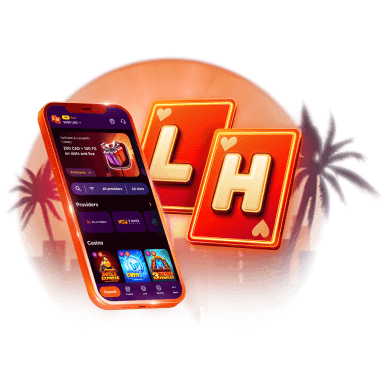
Lucky Hills is always with you!
Install the application and participate in thePlay with the App promo.
We use innovative installation technology directly from the browser. For any operating system.